If GD2 is installed on your server, SPIP can automatically convert titles (or other text elements from the database) into images, using the font of your choice.
To do this, you need to use the image_typo filter that is documented on this page.
[(#TITRE|image_typo)]

If you do not provide any parameters, image_typo will use the default font provided by SPIP: Dustismo, which is a GPL font by Dustin Norlander. It is stored in the polices sub-directory of the
dist or squelettes-dist folder for SPIP 2 (in previous version of SPIP , this was called the ecrire folder).
Fonts
You can specify the name of another font to use by using the police parameter (the font needs, of course, to be installed on your site):
[(#TITRE|image_typo{police=dustismo_bold.ttf})]

(Dustismo-bold is also provided by default by SPIP.)
You can, in theory, use many font formats: TrueType, PostScript Type 1, OpenType... However, depending on your server configuration, some formats may not be accepted.
The fonts have to be installed in a sub-directory: /polices underneath the /ecrire directory, or — even better — underneath your template directory.
If, for example, you install a TrueType file:polices/stencil.ttf
it will be possible to use this new font [1].
[(#TITRE|image_typo{police=stencil.ttf})]
Size
You can specify the size of the font by using the taille parameter.
[(#TITRE|image_typo{police=stencil.ttf,taille=36})]

Note: do not use “36pt”, but only “36” — without specifying the units.
Colour
The couleur parameter can be used to specify the colour of the font. By default, the colour will be black. This parameter takes an hexadecimal RGB value with the notation: «3399BB». Note: do not use the # usually added to the colour notations in HTML and CSS.
[(#TITRE|image_typo{police=stencil.ttf,taille=36,couleur=4433bb})]
Width
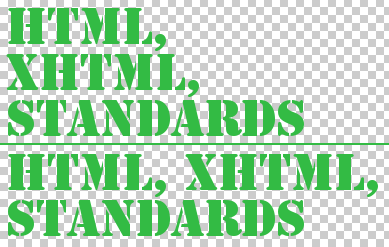
The largeur parameter gives you a control over the maximum width of the generated image. Note: this is a maximum value, the image will be automatically reframed afterwards to fit the real dimensions of the text.
The first block in the following example is made with a maximum width of 300 pixels, the second block with a width of 400 pixels.
[(#TITRE|image_typo{police=stencil.ttf,largeur=300})]
[(#TITRE|image_typo{police=stencil.ttf,largeur=400})]
Alignment
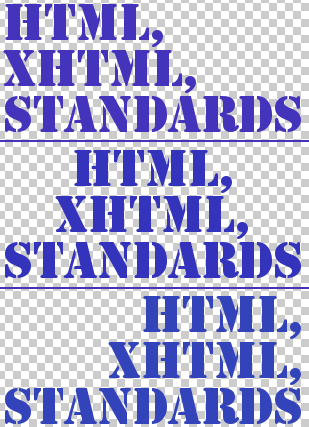
The align parameter sets the alignment of multiple lines of text (if applicable) to the left, right or center.
[(#TITRE|image_typo{police=stencil.ttf,align=left})]
[(#TITRE|image_typo{police=stencil.ttf,align=center})]
[(#TITRE|image_typo{police=stencil.ttf,align=right})]
Line height
The parameter
hauteur_ligne fixes the height of each line (if the images contains multiple line of texts).
[(#TITRE|image_typo{police=stencil.ttf,taille=36,hauteur_ligne=80})]
Padding
Some fonts will “overflow” the assigned box and the result looks really bad (the font will be “cut”). The padding parameter makes it possible, in such cases, to force extra space around the typographical image.
[(#TITRE|image_typo{police=stencil.ttf,padding=5})]
Filtering the image
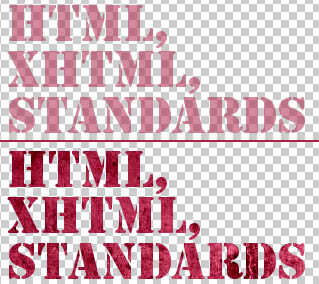
The result of image_typo is an image and therefore can be processed by the image filters. For example, the following code applies a semi-transparency and a texture mask.
[(#TITRE|image_typo{police=stencil.ttf,couleur=aa2244}|image_alpha{60})]
[(#TITRE|image_typo{police=stencil.ttf,couleur=aa2244}|image_masque{carre-mur.png})]