Creating a mailing-list
SPIP itself does not manage mailing lists: it was not designed to do so and, in any case, excellent open-source software manages such a function perfectly; moreover, many sites offer mailing lists that are easy for beginners to use.
SPIP is therefore designed to facilitate the use of an "external" mailing list: you need to create such a mailing list [1] and enter its details in SPIP.
Once the list has been created, you should get:
- the email address of the mailing list, where to send a message that will be forwarded to all the subscribers,
- an address (URL) of a Web page providing information about the list and where your visitors will be able to register to the mailing list.
Configuring SPIP
SPIP can be configured to send updates to a mailing list in the private area page “Site Configuration” > “Interactivity” > “Automated mailing”:
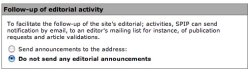
- in the section “Follow-up of editorial activity”, select “Send announcements to the address:”, more configuration options will be displayed,
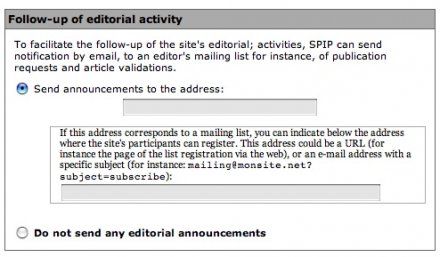
- provide the email address of the mailing list. SPIP will then automatically send email notification of events (article submission, publications, etc.) to that mailing list,
- you can also provide the Web address (URL) of this mailing list. This URL will then be displayed to every redactors in the page “Follow-up the site’s activity” so they can register to the list.
If the mailing list does not provide a Web page, you can still provide the email address to use for subscribing to the mailing list (often in a format similar to: spip@rezo.net?subject=subscribe).